Accessing your funding information is one of the most important steps in your academic journey, and the NSFAS login is where it all happens.
For thousands of students across South Africa, NSFAS provides the financial support needed to study without stress. However, many students still struggle to use the NSFAS login properly, whether it’s checking their status, tracking payments, or submitting an appeal.
If you want a clear and simple way to manage your funding in 2026, this guide will walk you through everything you need to know.
From there, click on the myNSFAS option and enter your login details.
You will need your ID number or username and your password. Once logged in, you will be taken to your dashboard, where all your funding information is displayed.
Always ensure your details are entered correctly, as incorrect information is one of the most common reasons for login failure.
How to Check Your NSFAS Application Status
One of the main reasons students use the NSFAS login is to check their application status.
After logging in, your dashboard will show your current status. This may include:
Application submitted
Funding approved
Awaiting documents
Application rejected
If your application is approved, you can proceed with your registration. If it is rejected, you may still have a chance to appeal.
Checking your status regularly ensures that you stay updated and respond quickly if any action is required.
How to Submit an NSFAS Appeal
If your application is unsuccessful, the NSFAS login allows you to submit an appeal directly.
After logging in, look for the appeal section on your dashboard. Follow the instructions and upload any required documents.
Make sure your appeal clearly explains your situation. Providing accurate and complete information increases your chances of success.
Appeals are time-sensitive, so it’s important to act quickly once your application status is updated.
How to Track NSFAS Payments
Another important feature of the NSFAS login is the ability to track your payments.
After logging in, you can view:
Payment dates
Allowance amounts
Transaction history
This helps you understand when your funds will be available and whether there are any delays.
If you notice missing payments, it is best to contact your institution or NSFAS for clarification.
Common NSFAS Login Problems and How to Fix Them
Many students experience issues with the NSFAS login, especially during busy periods.
If you cannot access your account, start by checking your login details. Entering the wrong password is a common mistake.
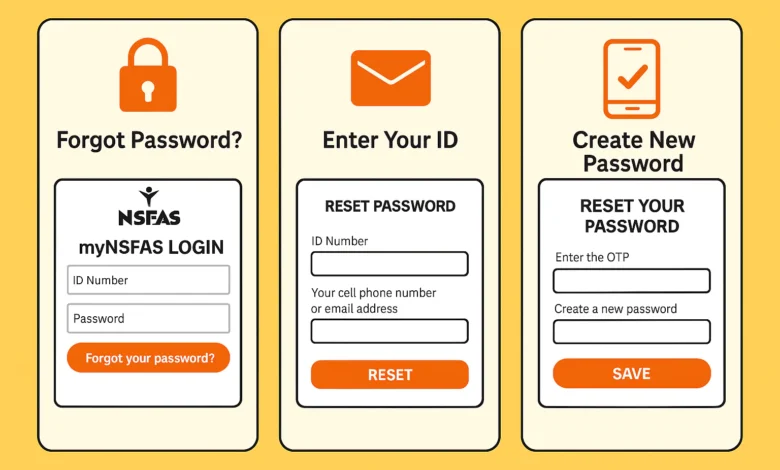
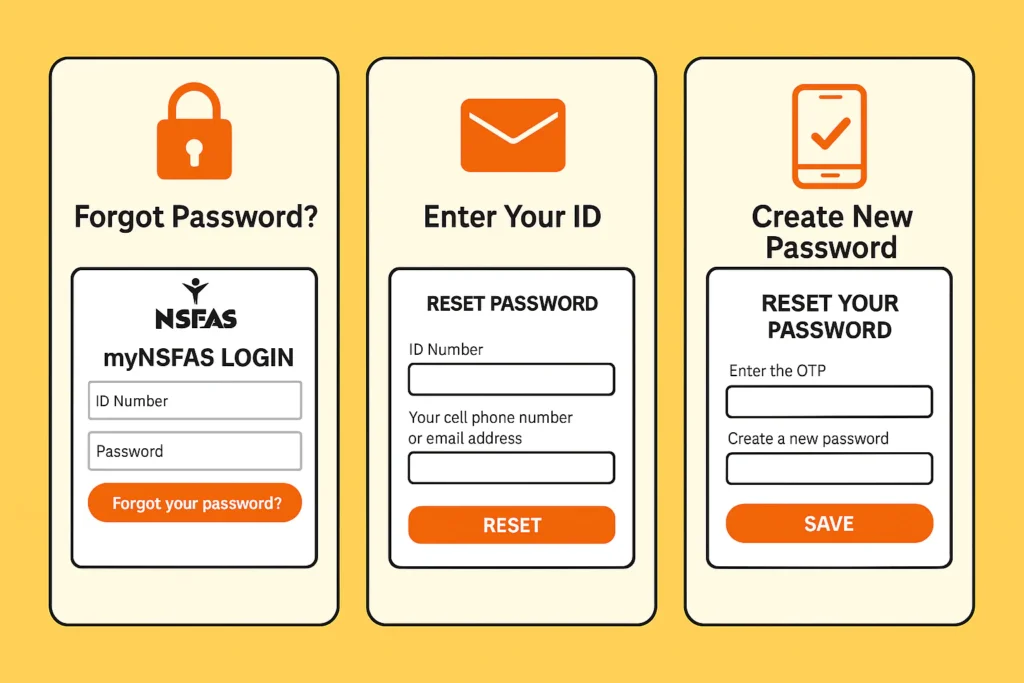
If you forgot your password, use the reset option available on the login page.
You can also try:
Clearing your browser cache
Switching to a different browser
Using a stable internet connection
If the system is temporarily unavailable, waiting and trying again later usually resolves the issue.
How to Reset Your NSFAS Login Password
Resetting your NSFAS login password is simple and only takes a few minutes.
Go to the NSFAS login page and click on the “Forgot Password” option. Enter your ID number and follow the instructions.
You will receive a verification code or link that allows you to create a new password.
Once your password is reset, you can log in again and access your account without any issues.
Tips to Manage Your NSFAS Account Effectively
Using the NSFAS login regularly helps you stay in control of your funding.
To avoid problems, you should:
Log in frequently to check updates
Keep your login details secure
Update your information when necessary
Respond quickly to any requests from NSFAS
Being proactive can prevent delays and ensure your funding runs smoothly.
Useful Resources to Support Your Application
To improve your chances of success, it’s important to prepare properly.
These resources will help you build a strong application and understand available opportunities.
Why NSFAS Login is Important in 2026
The NSFAS login continues to play a key role in helping students access financial support.
As more students rely on NSFAS funding, staying informed through your account is essential. The platform allows you to manage your funding efficiently and respond quickly to any updates.
By using your account regularly, you can avoid unnecessary delays and stay on track with your studies.
Final Thoughts
The NSFAS login is more than just a portal. It is your connection to the financial support that makes your education possible.
Understanding how to check your status, submit appeals, and track payments will help you stay informed and in control.
Make it a habit to log in regularly, keep your information updated, and act quickly when needed. This will ensure that your funding journey remains smooth and stress-free.
NSFAS Login 2026
❓ Frequently Asked Questions (FAQs)
What is NSFAS login used for?
The NSFAS login is used to access your funding account, check your application status, track payments, and submit appeals.
How do I check my NSFAS status?
Log in to your account and view your dashboard, where your application status will be displayed.
What should I do if my NSFAS application is rejected?
You can submit an appeal through your NSFAS login by providing supporting documents and explaining your situation.
Why is my NSFAS login not working?
This may be due to incorrect login details, system issues, or network problems. Resetting your password usually fixes the issue.
How do I track NSFAS payments?
After logging in, you can view your payment details, including dates and amounts, directly from your dashboard.
Nonhlanhla Ndlovu is the founder and publisher of EduFeeds, a South Africa–focused platform that shares verified learnerships, internships, bursaries, and job opportunities for young people and job seekers.
With a strong focus on helping South African youth access real career opportunities, Nonhlanhla researches and verifies programmes from official company sources and public announcements before publication. EduFeeds aims to simplify the application process by providing clear guidance, requirements, and practical tips to help applicants apply with confidence.
Nonhlanhla continues to monitor updates from SETAs, companies, and training providers to ensure information on Edu Feeds remains current and useful. She focuses on publishing timely and accurate opportunity updates for the South African youth employment market.
Nonhlanhla Ndlovu is the founder and publisher of EduFeeds, a South Africa–focused platform that shares verified learnerships, internships, bursaries, and job opportunities for young people and job seekers.
With a strong focus on helping South African youth access real career opportunities, Nonhlanhla researches and verifies programmes from official company sources and public announcements before publication. EduFeeds aims to simplify the application process by providing clear guidance, requirements, and practical tips to help applicants apply with confidence.
Nonhlanhla continues to monitor updates from SETAs, companies, and training providers to ensure information on Edu Feeds remains current and useful. She focuses on publishing timely and accurate opportunity updates for the South African youth employment market.